
Your family. One simple plan.
Flyers, school emails and group-chat messages become one calendar the whole family can see — and the original flyer stays with the plan.
 WeePlanner
Family plans come from everywhere.
School sends an email. Your partner sends a message. The coach sends a PDF. Somehow, you're supposed to remember it all.
WeePlanner gives them one place to go.
“Football match Saturday at 10…”
Football parents“Dentist moved to 10:00”
Sam“Spring Carnival on the main field”
Lincoln Elementary“Parent seminar: Raising teens”
Neighbourhood groupShare it.See it.Do it.
A plan arrives, it lands in your family’s calendar, and it reminds you when it’s time.
-
1Share it.
Got a plan in a message, email, PDF or photo? Share it straight to WeePlanner. Keep the original in view while you review and add the details.
Your flyers stay with the plan. WeePlanner helps fill in the details when it can.
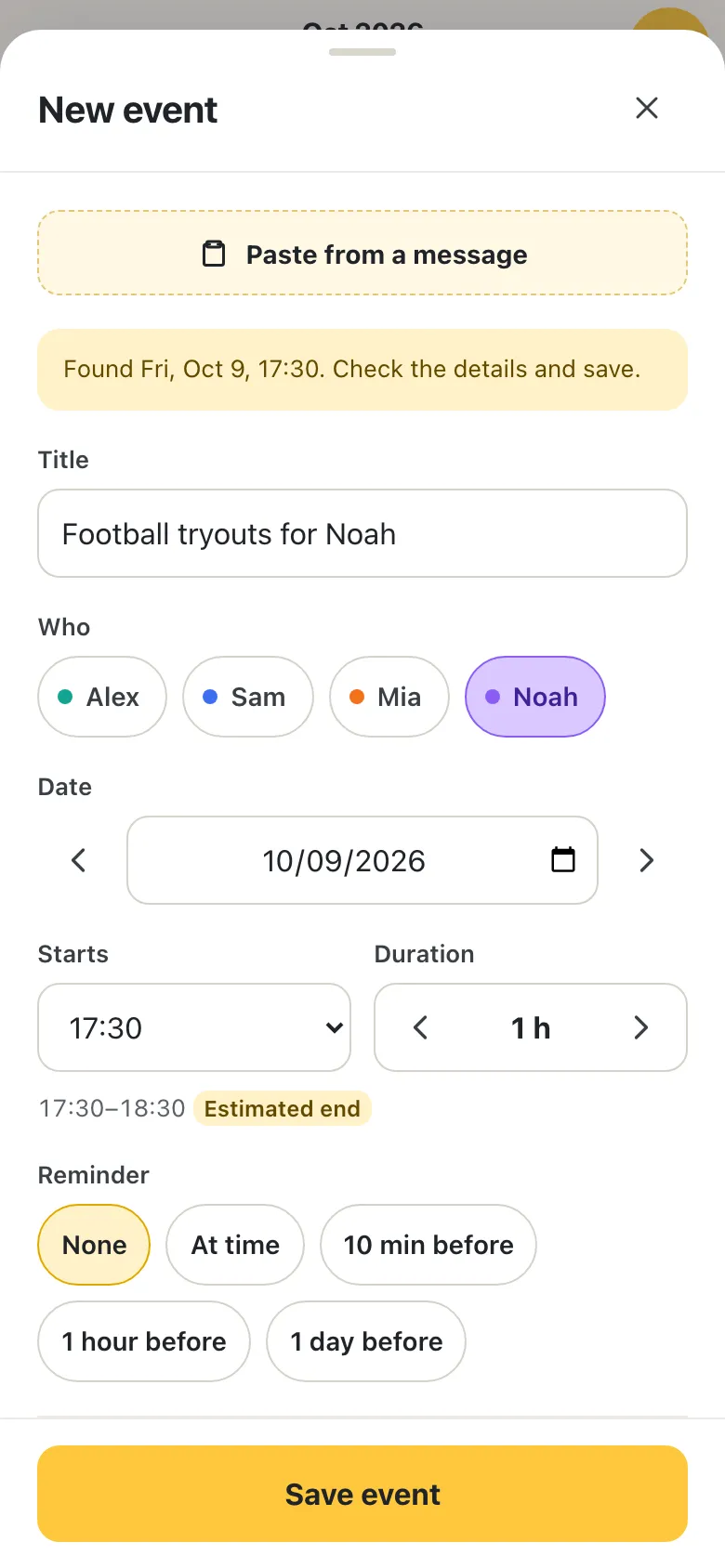
ScreenshotsPhotosPDFsMessagesNo flyer? Tap and say it, like “Mia swimming Thursday 5 pm”.
-
2See it.
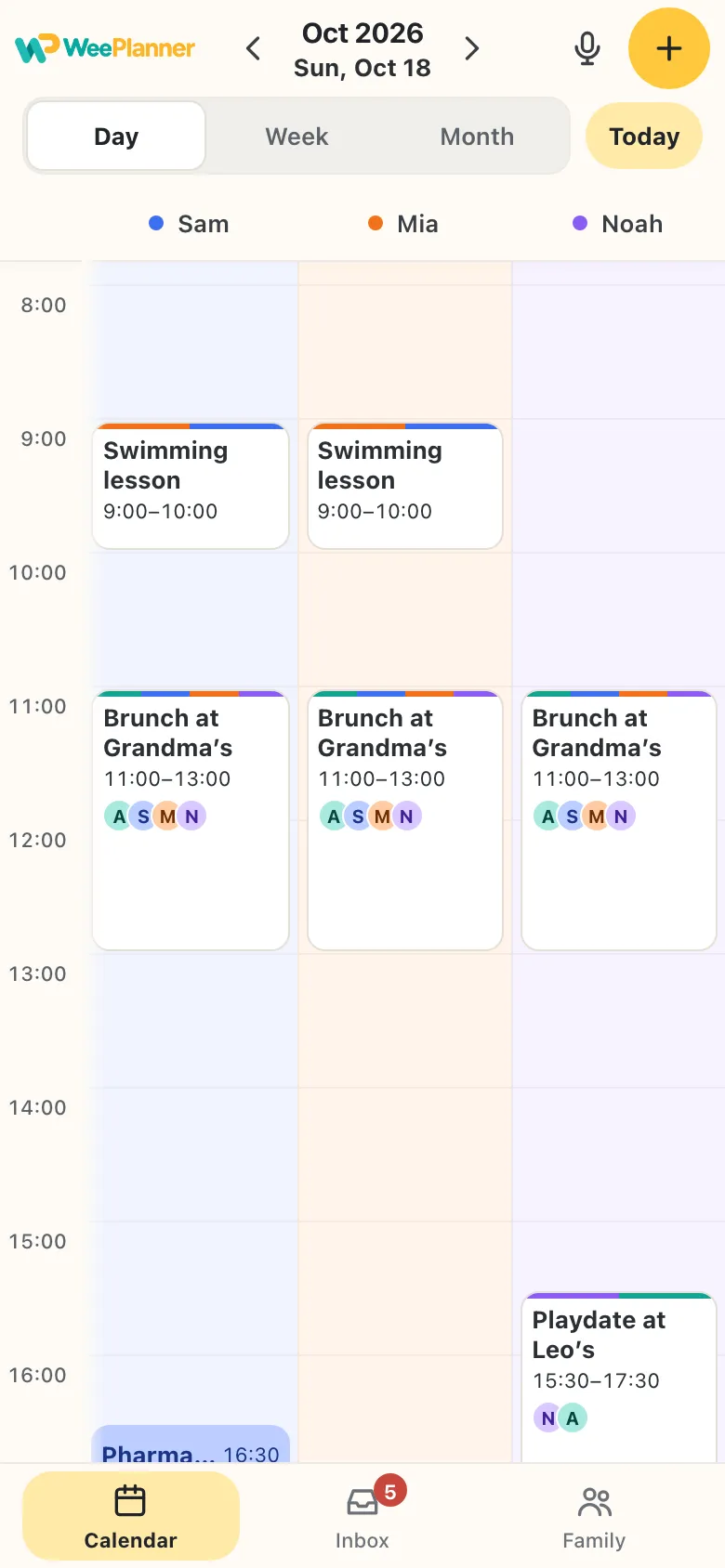
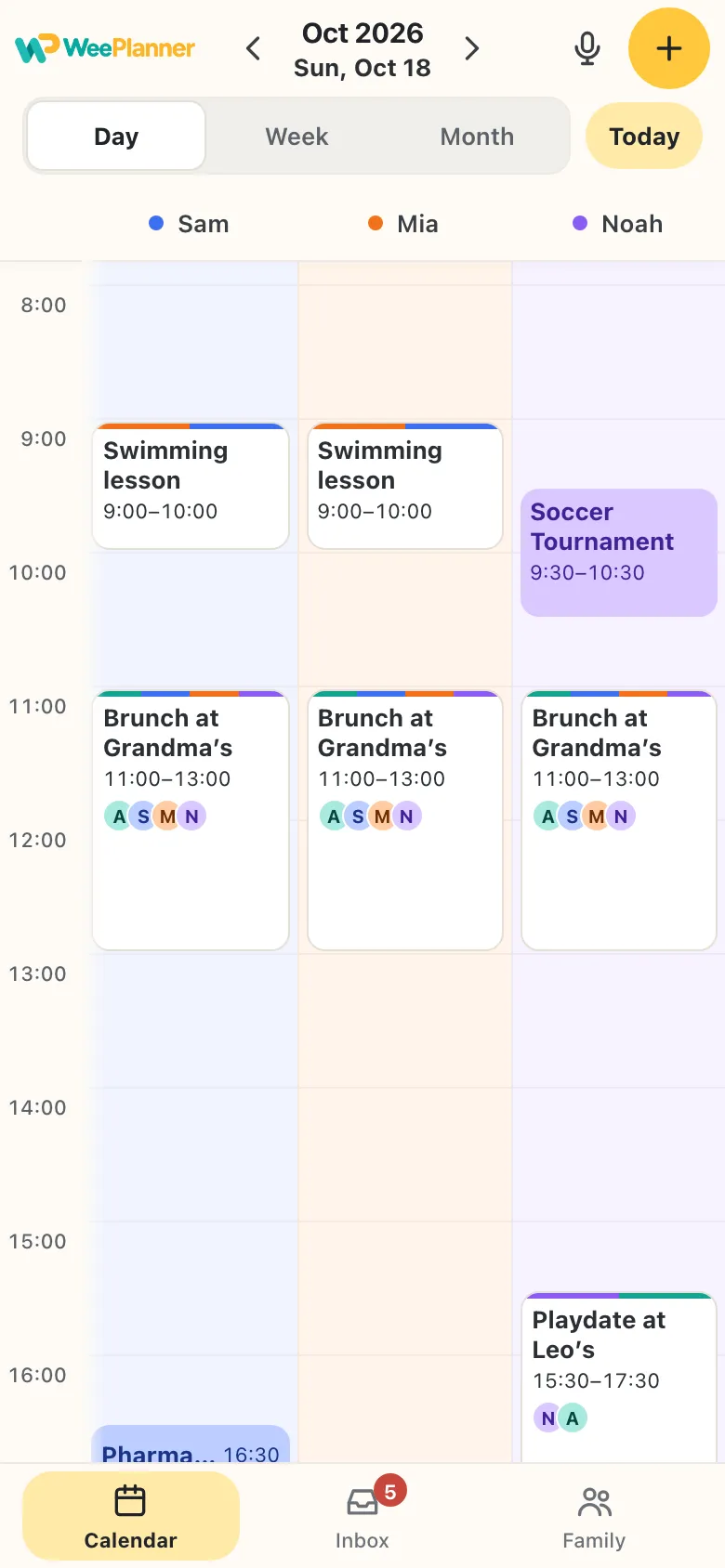
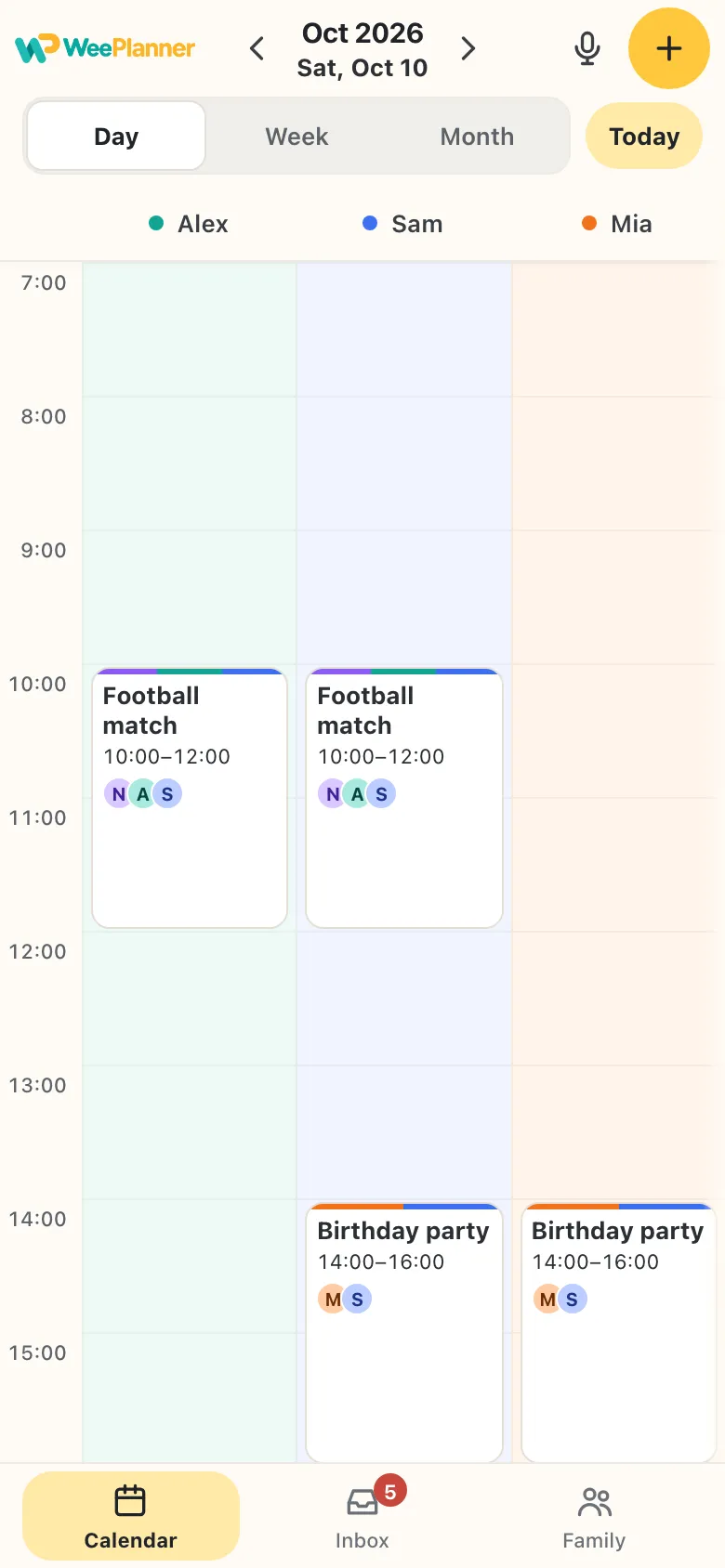
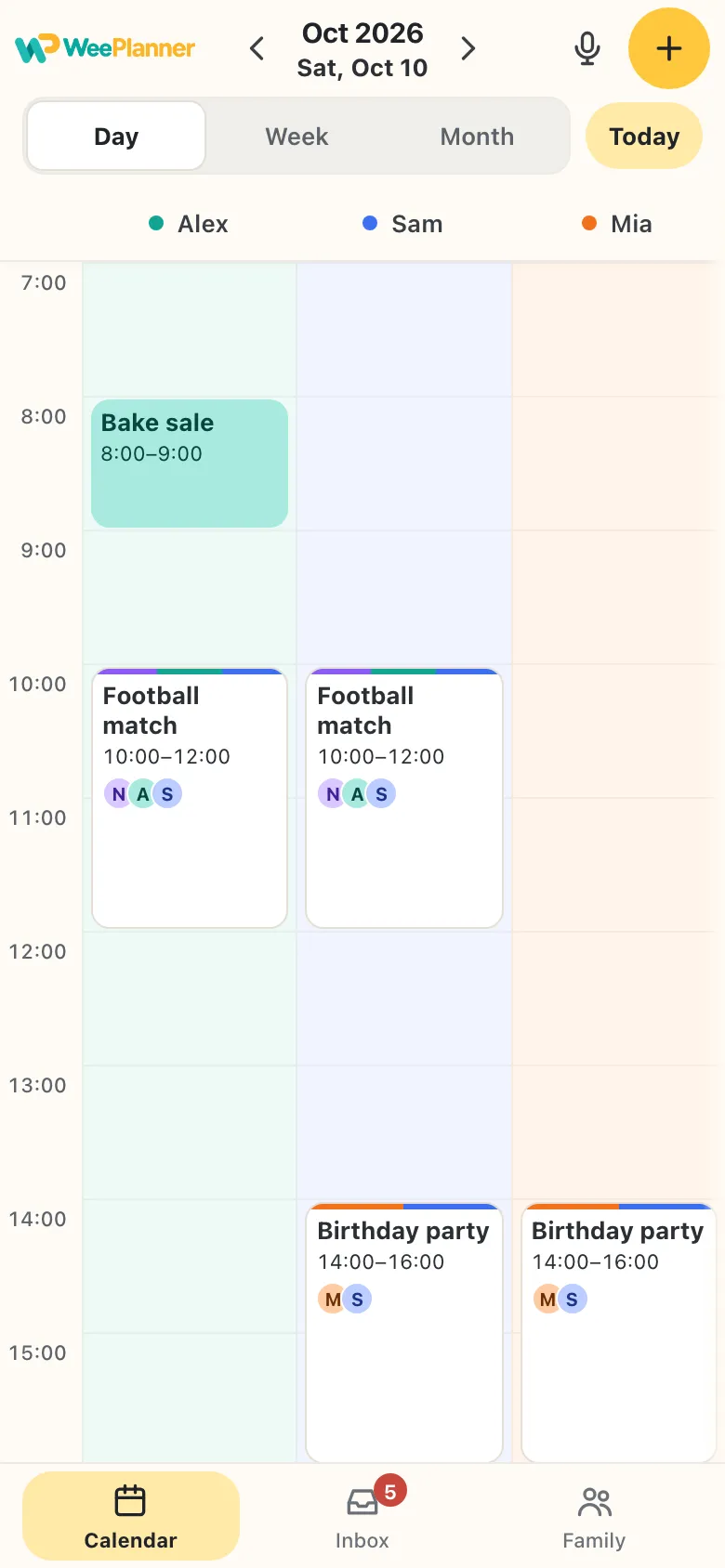
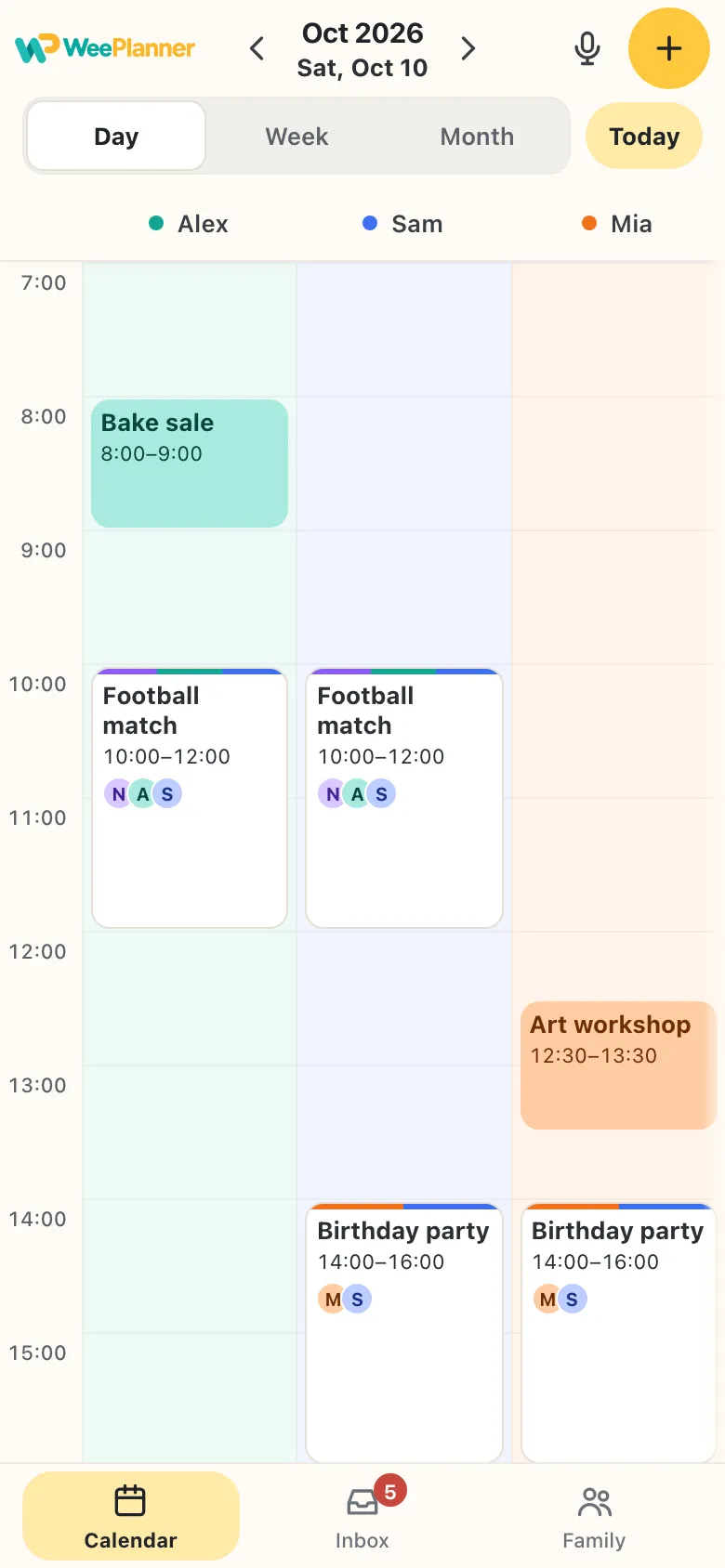
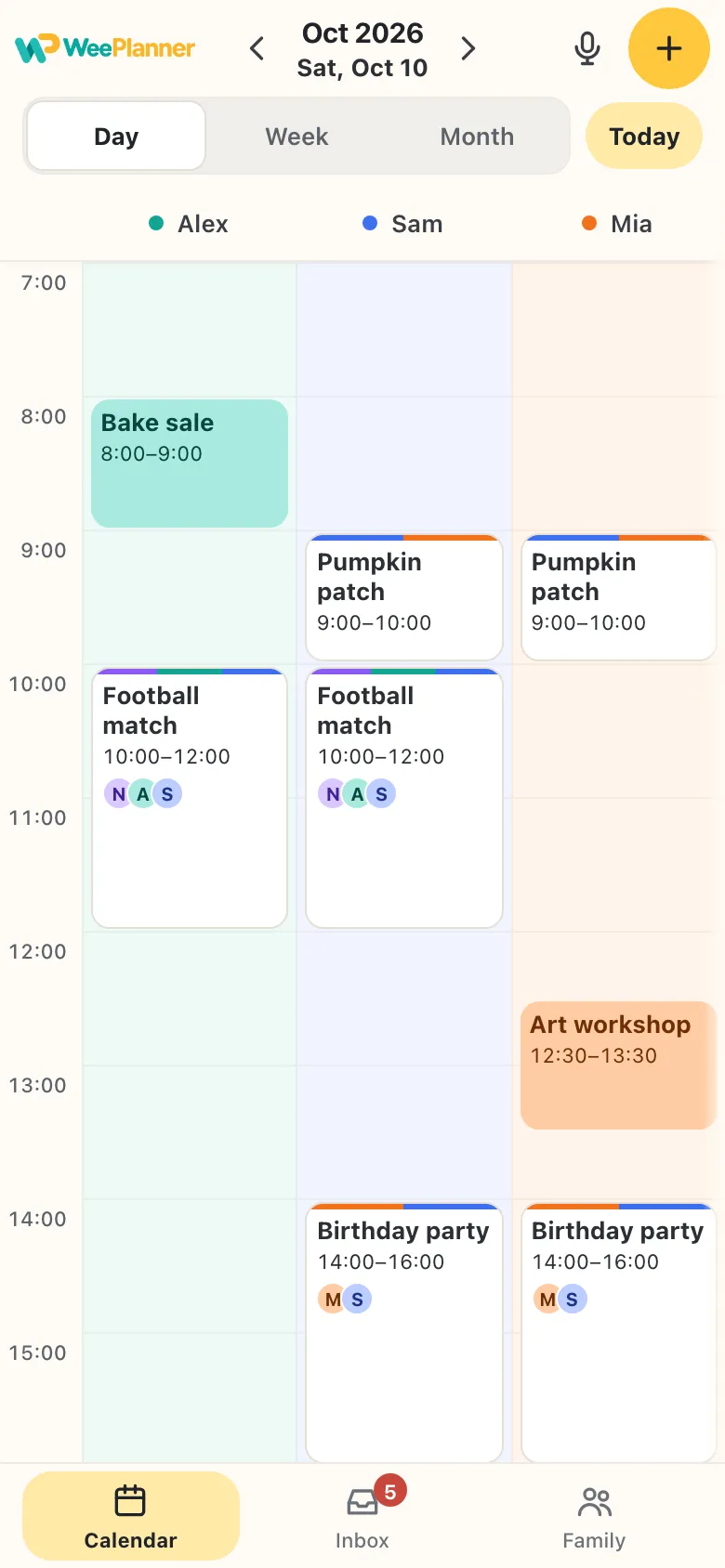
Everyone’s plans come together in one shared family calendar.
Know who’s doing what — and what’s coming next.
Not everything has a date yet.
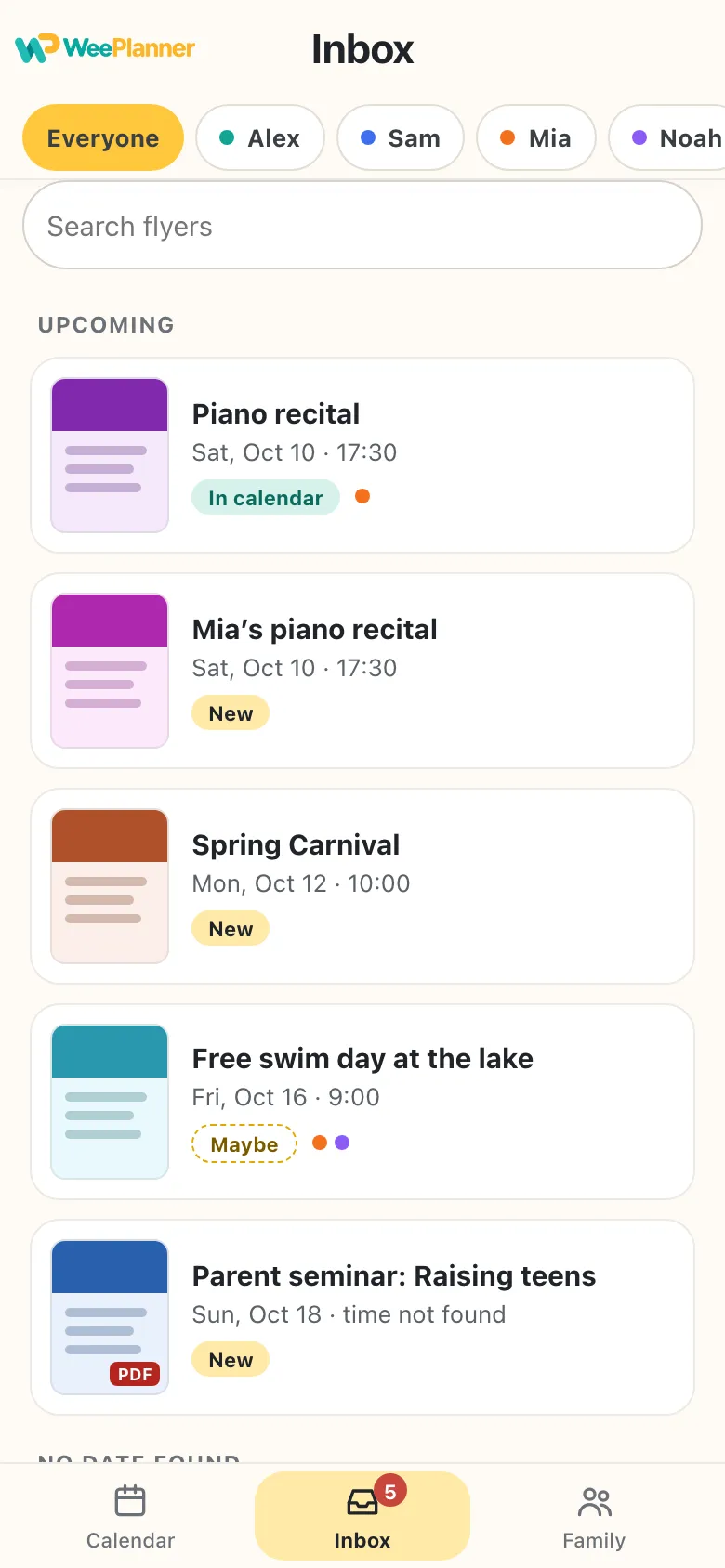
Every flyer you share lands in the Inbox, so nothing gets lost in a group chat. When it’s in the calendar, its card follows the event.
- Filter by personSee just the flyers for Mia, or for Noah.
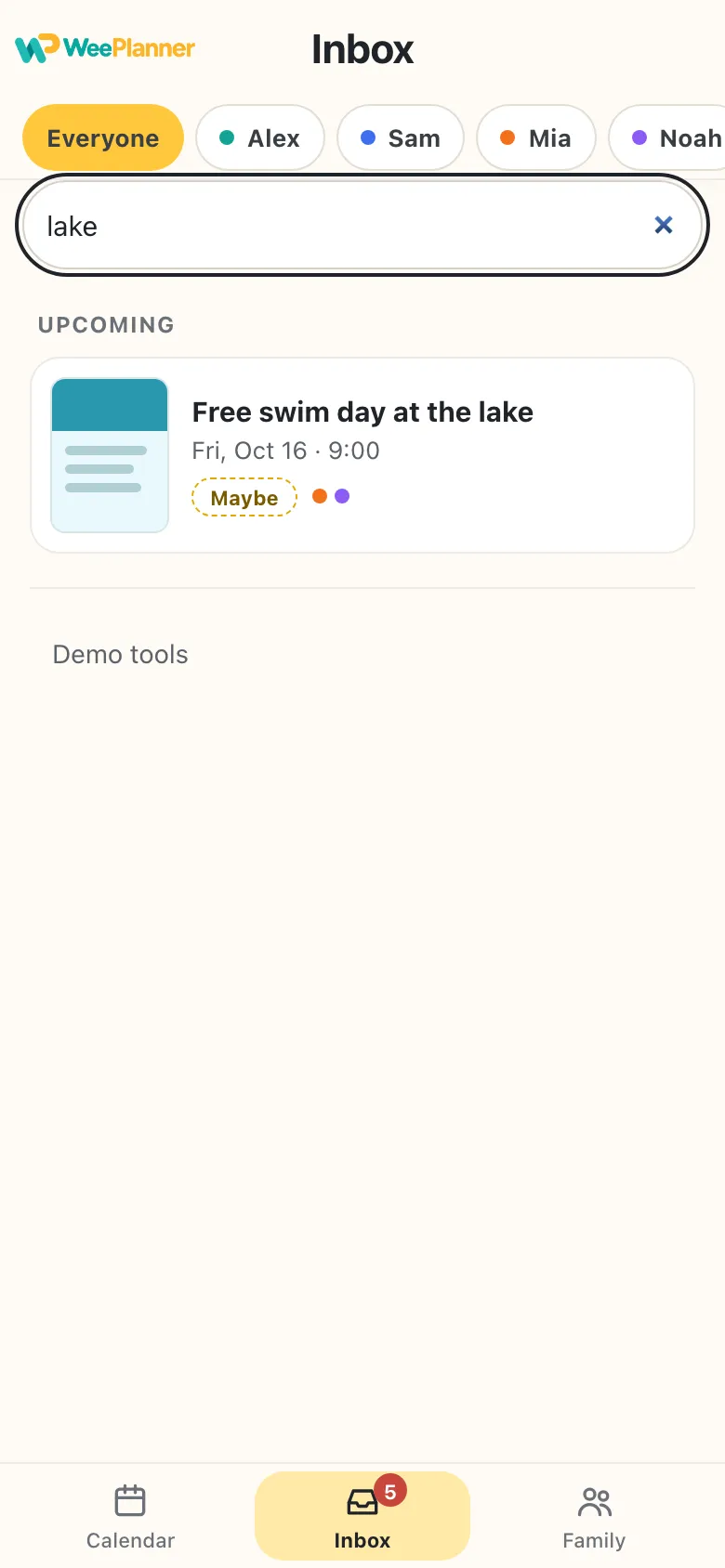
- Search the text“Where was that lake day?” Type lake and it’s there.
- New, Maybe, In calendarKnow at a glance what’s still waiting. No date yet? It waits under No date found.
Don’t take our word for it. See it for yourself.
Meet a sample family: Alex, Sam, Mia and Noah. Here’s how a week comes together.
Your words are turned into text on your iPhone or iPad. The audio never leaves it.
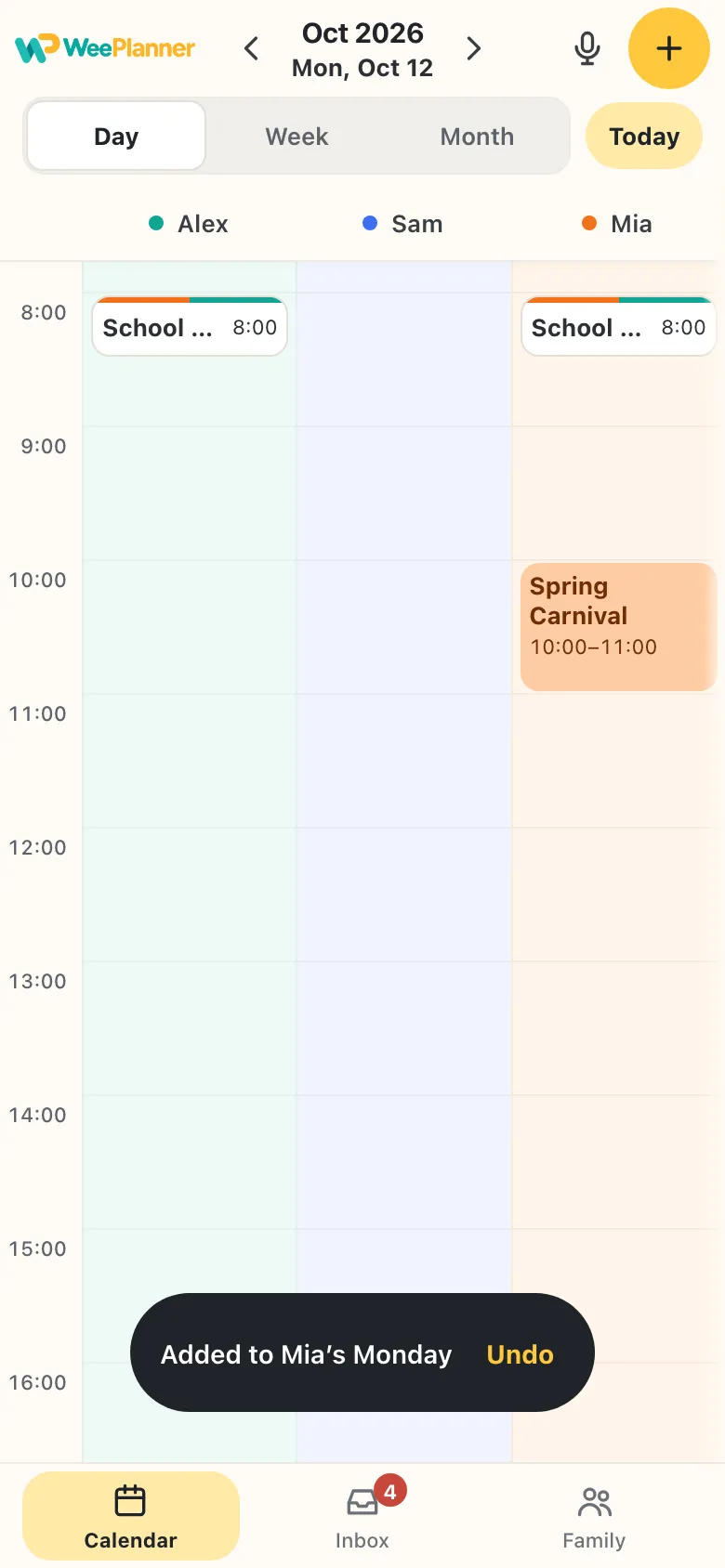
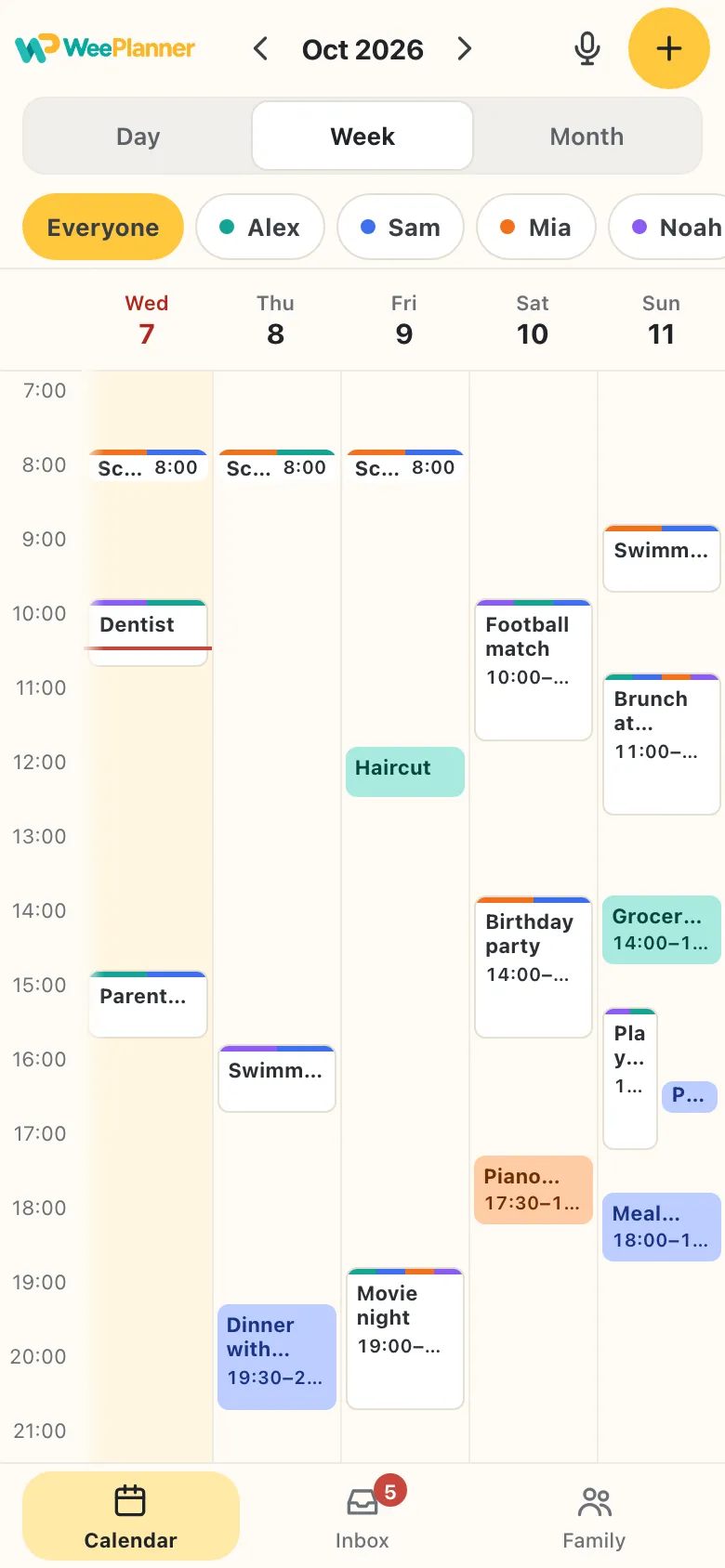
One calendar. Everyone in it.
- A color for everyoneParents and kids each get their own column and color.
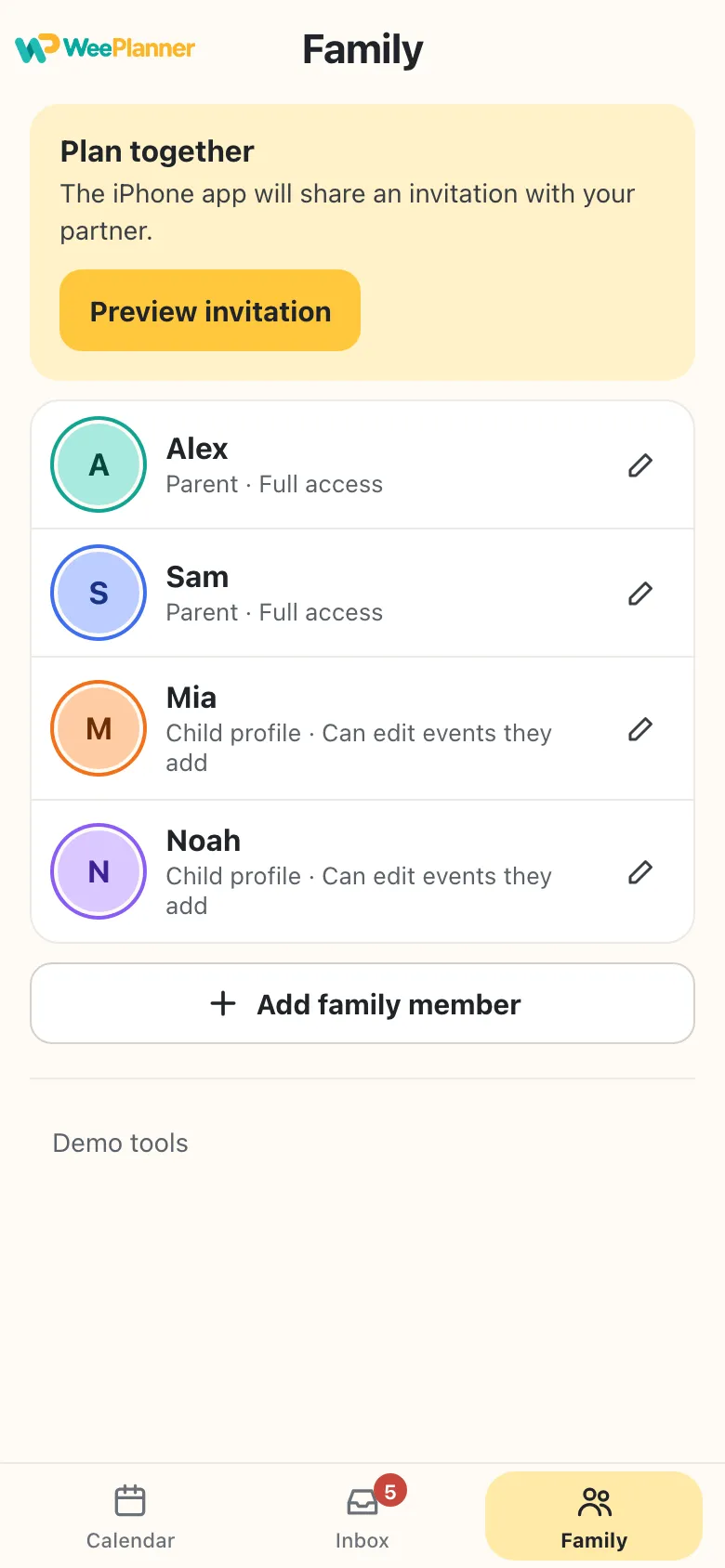
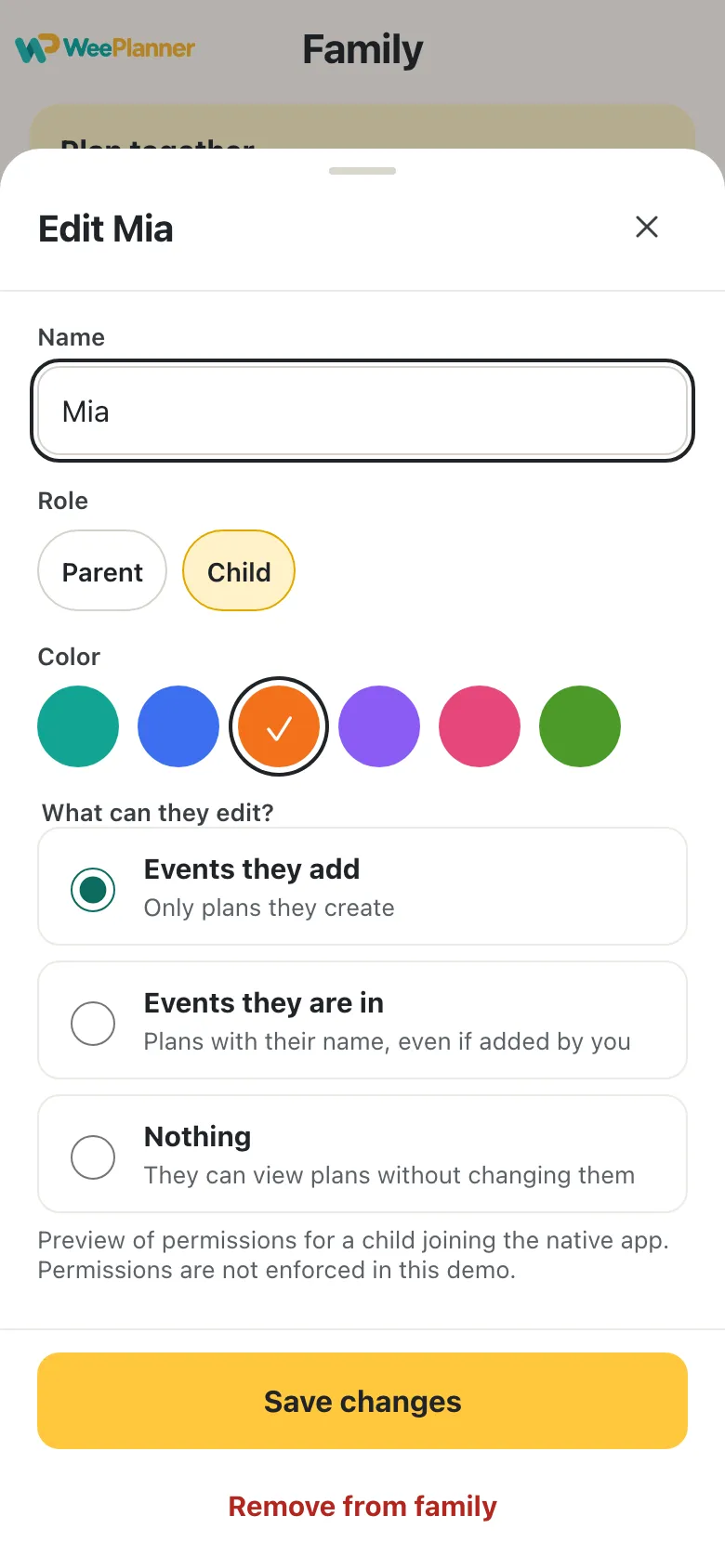
- Kids don’t need a phoneAdd children as profiles, each with their own column and color.
- Invite your partner with a linkOne shared calendar through iCloud, and a heads-up when the other parent adds a plan. Kids with their own iPhone can join too — you choose what they can edit.
Plans are useful when they show up at the right time.
Reminders at the time, 10 minutes, 1 hour or 1 day before — so the family knows what’s next.
Your family plans are personal.
WeePlanner is built so your family’s plans stay with your family.
- In your family’s own iCloudYour plans live in your family’s iCloud. We can’t see them.
- No sign-inYour iCloud is your account.
- No ads. No tracking.No analytics, no cookies — not in the app, not on this page.
Good questions.
The things families ask before they start.
Is WeePlanner free?
Yes. Every family feature — the calendar, the Inbox, reminders and sharing with your partner — is free.
When can I get it?
WeePlanner for iPhone and iPad is being tested with a small group of families. Tap Get notified and we’ll email you when it’s on the App Store.
Where are my plans saved?
In your family’s own iCloud. We can’t see them.
Can my partner see the same calendar?
Yes. Invite them with a link and you share one calendar through iCloud, with a heads-up when they add a plan.
Can it read flyers and PDFs?
Share a flyer, photo or PDF straight from WhatsApp, Mail or Photos. The original always stays with the plan, and WeePlanner fills in the details when it can — you check them with the flyer in view.
Can I add a plan by voice?
Yes. Tap the microphone at the top of the calendar and say it, like “Mia swimming Thursday 5 pm”. WeePlanner fills in the form for you to check. Your words are turned into text on your iPhone or iPad, and the audio never leaves it.
Do my kids need a phone?
No. Kids can be profiles in your calendar, with their own color and column.
Is there an Android app?
Not at the moment. WeePlanner is made for iPhone and iPad.